
2026 Best Thermal Printer Types Wat Is Een Thermo Printer?

Time:2026-10-09 Author:Mason
0%

Wat Is Een Thermo Printer? The answer depends on how the device creates an image. A thermal printer uses heat instead of liquid ink. Direct thermal models heat sensitive paper, while thermal transfer models move pigment from a ribbon onto the label. This difference affects durability, cost, and daily maintenance.

In real workplaces, thermal printers produce shipping labels, receipts, barcodes, wristbands, and inventory tags. I have seen a small desktop model print hundreds of warehouse labels during a busy afternoon. The labels came out quickly, with sharp black bars and readable text. However, direct thermal paper can fade under sunlight, heat, or long storage. That limitation is easy to overlook.

This guide examines the best thermal printer types for 2026. It compares print quality, speed, connectivity, media compatibility, and operating costs. It also considers practical details, such as replacing rolls, cleaning the printhead, and reducing wasted labels. A printer may appear affordable until replacement media becomes expensive. Check the total cost.

Professional advice should remain realistic. No single thermal printer suits every business or home office. A courier may value speed, while a retailer may need durable product labels. Creative users might prefer color alternatives, although standard thermal printing is usually monochrome. Results also depend on paper quality and correct settings. Even experienced operators occasionally choose the wrong label size. Testing a sample roll before a larger purchase remains a sensible step.
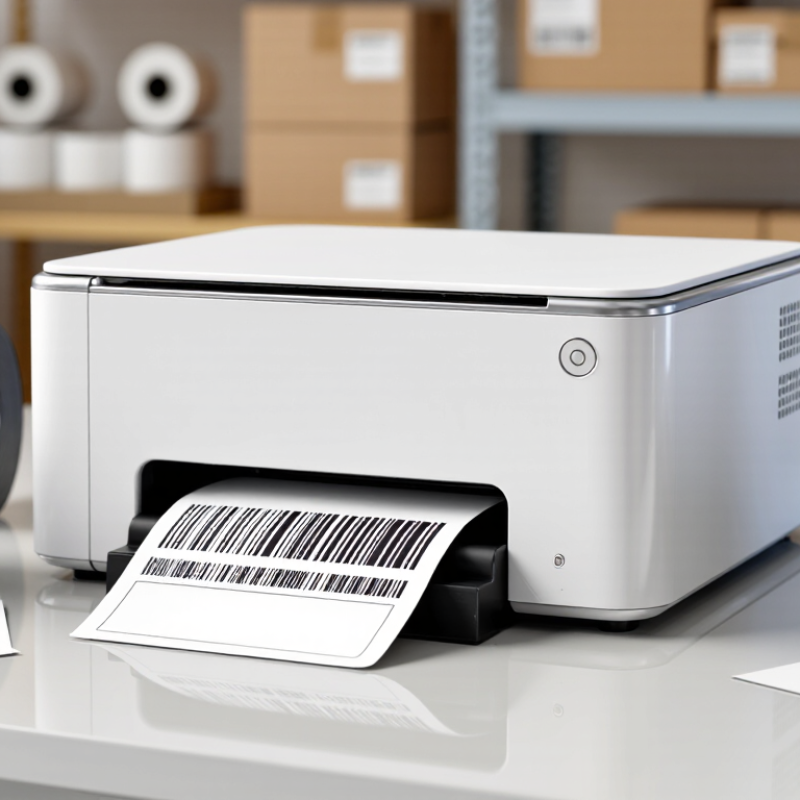
2026 Best Thermal Printer Types Wat Is Een Thermo Printer?

What Is a Thermal Printer?

A thermal printer creates images by applying controlled heat to a printing surface. Unlike inkjet printers, it usually needs no liquid ink. The print head contains tiny heating elements. These elements activate selected dots as paper moves beneath them. The result is a clean label, receipt, ticket, or compact image.

There are two common thermal printing methods. Direct thermal printing uses heat-sensitive paper that darkens when heated. It is simple, quiet, and useful for short-term labels. However, sunlight, friction, and high temperatures can fade the print. Thermal transfer printing uses a heated ribbon to place durable material onto the surface. That distinction matters. It often suits warehouse labels, product tags, and outdoor identification.

In practical use, paper quality affects results more than many beginners expect. Poorly stored rolls may curl, discolor, or produce uneven marks. Keep them away from windows and damp areas. Clean the print head regularly with an approved lint-free wipe. Excessive heat settings can shorten its life. I once assumed darker printing was always better, but it sometimes created blurred edges and wasted energy. The correct setting depends on paper, speed, and detail. Small calibration tests can prevent larger batches from failing. A thermal printer is not maintenance-free, though its operation can feel almost effortless.

How Does Thermal Printing Technology Work?

A thermal printer creates an image through controlled heat, not liquid ink. Its printhead contains tiny heating elements that activate selected dots as paper passes beneath them. Direct thermal media darkens when heated. Thermal transfer models use a heated ribbon to move wax or resin onto labels, making the image more durable.

The process is fast and mechanically simple. There are fewer moving parts. The printer sends digital instructions to the printhead, adjusts heat intensity, and forms text, barcodes, or graphics line by line. Grand View Research estimated the global thermal printing market at over USD 4 billion in 2023, with continued growth expected through the decade. Smithers also identifies on-demand labeling and variable data as important drivers in its packaging print analysis.

Material choice changes the result. Direct thermal paper can fade under sunlight, friction, or high temperatures. Thermal transfer labels usually resist these conditions better, but they create ribbon waste. Real warehouses are less tidy. Dust, poor calibration, and uneven pressure can weaken barcode quality. GS1 guidance stresses adequate contrast and reliable scanning, yet field performance still depends on storage and maintenance. A printer may appear efficient while producing unreadable labels. That detail deserves more attention.

What Are the Main Types of Thermal Printers in 2026?

Direct thermal printers create images by heating chemically treated paper. They need no ink, toner, or ribbon. This design suits receipts, delivery labels, queue tickets, and short-term records. I have found them quick and simple during busy packing work. However, sunlight, heat, and friction can darken the paper. The printed image may fade sooner than expected. It is a practical choice, not a permanent one.

Thermal transfer printers use a heated printhead to move wax, resin, or mixed ribbon material onto a label. The result usually resists moisture, chemicals, scratches, and temperature changes better. These printers support storage labels, outdoor identification, and industrial tracking. They cost more to operate because ribbons require regular replacement. Yet the stronger print can reduce relabeling mistakes. That saving is easy to overlook.

There is also dye-sublimation thermal printing, mainly used for photo-quality images and color graphics. Heat turns solid dye into gas, which bonds with specially coated media. It can produce smooth tones and detailed pictures. It is less suitable for ordinary text labels. Media costs can also rise quickly. Some systems combine thermal methods with portable, networked, or multi-size printing features. Those features describe the equipment, not a separate printing process. In 2026, buyers should check print durability, paper conditions, resolution, speed, and expected volume. A fast printer is not always the best fit. The wrong media can still ruin good hardware.

2026 Best Thermal Printer Types: What Is a Thermal Printer?

A thermal printer creates images by applying heat to specially treated media or by transferring ink from a ribbon. The chart compares representative print resolutions commonly used by the main thermal printer types; actual specifications vary by model and application.

Direct thermal is commonly used for receipts, shipping labels, and tickets. Thermal transfer uses a ribbon for more durable labels and industrial identification. Dye-sublimation transfers dye into coated media and is widely used for high-quality photo and identification-card printing.

Where Are Different Thermal Printers Commonly Used?

2026 Best Thermal Printer Types: Wat Is Een Thermo Printer?

A thermal printer creates text and images with heat, rather than liquid ink. Direct thermal models suit receipts, queue tickets, and short-term shipping labels. Thermal-transfer models use a ribbon, producing longer-lasting labels for warehouses, laboratories, and manufacturing floors. In a busy packing station, the difference becomes clear: direct labels may darken or fade near sunlight, while transfer labels usually resist heat, moisture, and abrasion better.

The 2024 Global Parcel Shipping Index recorded 161.8 billion parcels worldwide in 2023. This volume helps explain thermal printing’s strong role in logistics. Smithers’ The Future of Thermal Printing to 2028 also identifies packaging, transport, and retail labels as major demand areas.

Retail counters need fast receipts. Hospitals use wristbands and specimen labels. Restaurants print kitchen orders beside hot equipment. Mobile workers often choose compact printers for parking records, delivery documents, or field inspections.

Still, “fast” does not always mean practical. Small devices can have limited media capacity, and poor label storage can ruin reliable output.

Tips: Match the printer to the environment first. Choose direct thermal for temporary labels and thermal transfer for durable identification. Test paper, ribbon, adhesive, and barcode readability together. A label that looks sharp may still scan poorly. Review heat, humidity, cleaning chemicals, and daily print volume before buying. Recheck assumptions after one working week.

How to Choose the Best Thermal Printer for Your Needs

Choosing the best thermal printer starts with the job, not the advertised speed. Direct thermal models work well for receipts, shipping labels, and short-term tags. Their heat-sensitive paper is simple to use, but sunlight and friction can fade prints. Thermal transfer models use a ribbon, producing labels that last longer on shelves, packages, or equipment. They cost more to operate, though.

Check the label size, print volume, and required detail before buying. A compact printer suits occasional home orders, while a durable desktop unit handles daily office work. For small text, barcodes, or graphics, choose a higher resolution. Measure your workspace too. A printer that fits beside your laptop may not accept wider media. Small details matter.

Connectivity can change your routine. USB is stable, while wireless access helps shared workspaces. Confirm operating system support and label software compatibility before purchase. I once focused too heavily on printing speed and overlooked replacement media costs. That was a poor evaluation. Running costs often matter more than the initial price. Review paper or ribbon availability, maintenance needs, and the manufacturer’s technical documentation. Test a sample label with your actual materials when possible. Specs can look convincing. Real output may disagree.

2026 Best Thermal Printer Types: What Is a Thermal Printer? How to Choose the Best Thermal Printer for Your Needs

A thermal printer creates images by applying controlled heat to heat-sensitive media or to a thermal-transfer ribbon. The best choice depends on print durability, media type, color requirements, print volume, connectivity, and total operating cost.

Printer Type Printing Method Compatible Media Typical Resolution Color Capability Durability of Output Main Advantages Best Use Cases and Selection Advice
Direct Thermal Printer Heat is applied directly to chemically treated, heat-sensitive paper or labels. No ink or ribbon is required. Direct-thermal receipt paper, labels, tickets, tags, and some coated specialty media. Usually 203 or 300 dpi; 600 dpi is available for selected high-detail applications. Primarily monochrome; some media can produce limited spot-color effects. Short to medium term. Images may fade or darken when exposed to heat, sunlight, friction, or chemicals. Simple operation, fewer consumables, low maintenance, and fast media changes. Choose it for receipts, temporary shipping labels, queue tickets, and short-life identification labels where low operating complexity is important.
Thermal Transfer Printer A heated printhead transfers pigment from a ribbon onto the surface of the label or tag. Paper, polypropylene, polyester, vinyl, fabric, and other coated or synthetic label materials. Usually 203 or 300 dpi; 600 dpi is suitable for small text, symbols, and dense barcodes. Monochrome is common; selected ribbon and media combinations support multiple spot colors. Medium to very high, depending on the ribbon and media. Outputs can resist moisture, abrasion, chemicals, and UV exposure. Long-lasting results, broad material compatibility, and reliable barcode quality. Choose it for asset tags, laboratory labels, outdoor identification, product labels, and applications requiring long-term readability.
Mobile Thermal Printer Usually uses direct thermal printing in a compact, battery-powered enclosure; some models support thermal transfer. Portable receipt rolls, compact labels, tickets, and small tags. Commonly 203 dpi; 300 dpi models are available for finer labels. Generally monochrome. Usually short to medium term for direct thermal output; durability depends on the media selected. Portable, lightweight, wireless, and suitable for printing at the point of activity. Choose it for field service, delivery confirmation, inventory checks, mobile point-of-sale work, and warehouse picking. Check battery life, drop resistance, and media capacity.
Desktop Label Printer Compact direct thermal or thermal-transfer printing designed for low-to-moderate daily workloads. Small rolls of paper, synthetic labels, tags, and continuous media. Usually 203 or 300 dpi. Mostly monochrome; some specialized systems support color media. Short to high, depending on whether direct thermal or thermal-transfer technology is used. Small footprint, relatively low purchase cost, and convenient for offices or workstations. Choose it for shipping labels, office filing, retail shelf labels, healthcare samples, and moderate-volume labeling near a computer.
Industrial Label Printer Heavy-duty direct thermal or thermal-transfer printing with reinforced components and higher media capacity. Wide and continuous label stock, synthetic materials, tags, ribbons, and specialty industrial media. Commonly 203 or 300 dpi; 600 dpi is used when fine detail is required. Generally monochrome; selected configurations support spot-color workflows. Medium to very high when matched with appropriate synthetic media and ribbon. Designed for high duty cycles, large media rolls, continuous operation, and demanding environments. Choose it for manufacturing, distribution centers, logistics, chemical identification, and large-volume barcode production. Compare duty cycle, media capacity, enclosure rating, and serviceability.
Receipt Thermal Printer Direct thermal printing on narrow, heat-sensitive paper, typically using a fixed-width printhead. Thermal receipt rolls, kitchen paper, tickets, and narrow transaction media. Usually 203 dpi; some models provide 300 dpi for sharper graphics and small text. Primarily monochrome; limited two-color output is possible with compatible paper. Short to medium term. Thermal receipts can fade under heat, sunlight, and prolonged handling. Fast output, quiet operation, low consumable complexity, and easy integration with transaction systems. Choose it for retail checkout, hospitality, ticketing, kiosks, and service counters. Confirm paper width, interface compatibility, cutter life, and print speed.
Color Thermal Printer Uses specialized thermal media or multiple thermal elements to create color images; the technology varies by system. Specialized color thermal paper, coated cards, labels, or dedicated imaging media. Varies widely by technology; resolution should be evaluated together with color density and image quality. Color output is the primary feature, but color range and media requirements vary considerably. Varies by media. Some outputs are intended for short-term use, while others are designed for durable cards or labels. Can produce color without conventional liquid ink and may offer clean, low-smear output. Choose it only when color is essential and the required media is readily available. Compare media cost, replacement availability, image longevity, and color consistency.

Quick selection rule: Select direct thermal for low-maintenance, short-life printing; thermal transfer for durable labels and broad material compatibility; mobile models for portability; desktop models for space-efficient office use; and industrial models for continuous, high-volume workloads.

FAQS

How does a thermal printer create text and images?

It uses controlled heat instead of liquid ink. Tiny heating elements activate selected dots as paper moves underneath. The image forms line by line.

What is the difference between direct thermal and thermal transfer printing?

Direct thermal paper darkens when heated. Thermal transfer printing uses a heated ribbon to place wax or resin onto labels. The second method usually creates more durable images.

When is direct thermal printing a practical choice?

It suits receipts, shipping labels, and short-term tags. The setup is simple because no ribbon is needed. However, sunlight, friction, and heat can fade the print.

When should someone choose thermal transfer printing?

Choose it for labels that must last on shelves, packages, or equipment. It usually resists heat and friction better. Ribbon waste and operating costs need consideration.

What should be checked before buying a thermal printer?

Check label size, print volume, resolution, workspace, connectivity, and software support. A small printer may not accept wider media. Measure the available desk area first.

Why does print resolution matter?

Higher resolution helps produce clearer small text, barcodes, and graphics. Low-quality output may appear acceptable but scan poorly. Test real labels whenever possible.

Is printing speed the most important purchasing factor?

Not always. Replacement paper, ribbons, maintenance, and software can cost more over time. I once prioritized speed and ignored media costs. That was a weak evaluation.

Why can a printed barcode fail in a warehouse?

Dust, poor calibration, uneven pressure, and unsuitable storage can reduce contrast and clarity. Direct thermal paper may also fade. The printer can seem efficient while producing unreadable labels. That deserves attention.

Conclusion

Thermal printers create images by applying controlled heat to heat-sensitive paper or to a ribbon that transfers ink onto a label or other surface. If you are asking, “Wat Is Een Thermo Printer,” it is essentially a printing device designed for fast, quiet, and low-maintenance output without relying on traditional liquid ink cartridges. The main technologies are direct thermal printing, which uses heat-sensitive media, and thermal transfer printing, which uses a heated ribbon for longer-lasting results.

In 2026, thermal printers are available in compact desktop, portable, industrial, receipt, label, and specialty formats. They are commonly used for shipping labels, retail receipts, inventory tracking, healthcare identification, office organization, event tickets, and mobile work environments. Choosing the best type depends on the required print durability, media size, printing speed, connectivity, portability, expected workload, and operating costs. It is also important to consider compatibility with software, ease of maintenance, workspace limitations, and whether prints must withstand heat, moisture, friction, or extended storage.

Mason

Mason

Mason is a seasoned marketing professional with a deep expertise in the company's offerings and a passion for driving brand awareness. With a strong background in digital marketing strategies, he has an innate ability to connect with diverse audiences and effectively communicate product benefits.......